Lock Screen Personalization Editing
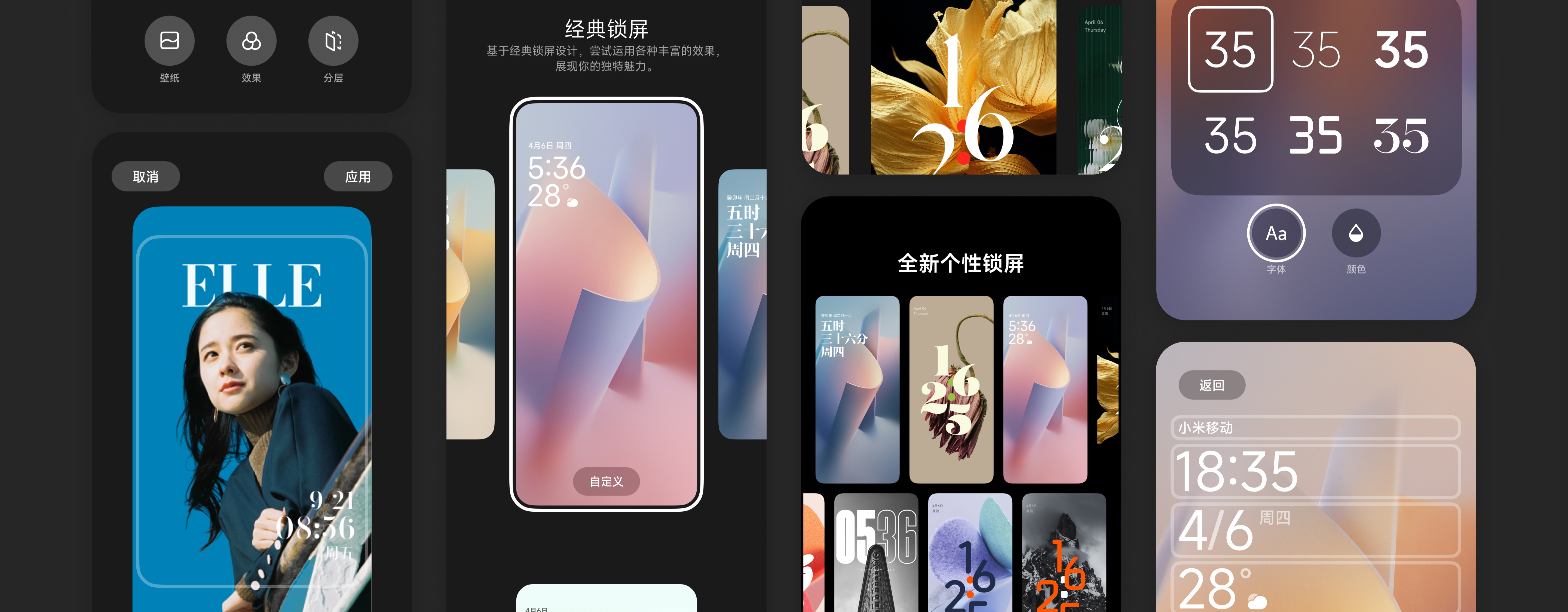
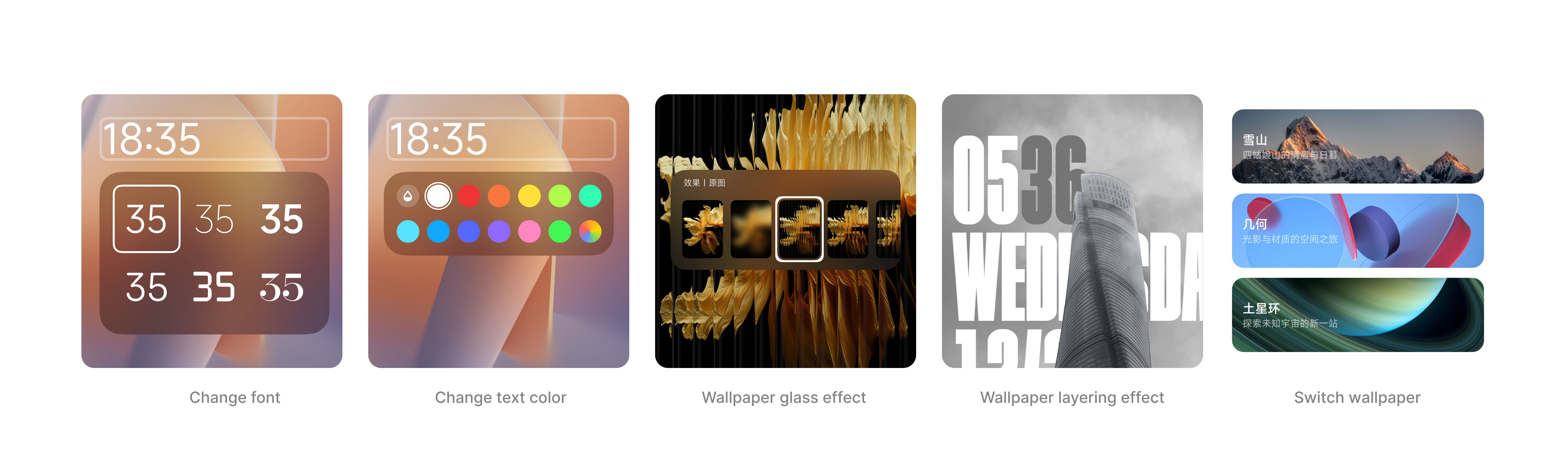
In 2023, MIUI 15 will launch three new lock screens under its new design philosophy. While enhancing customization capabilities, it also showcases leadership in glass effects, AOD lock screen linkage, and cutout technologies, improving user satisfaction with lock screen aesthetics.
- Product architecture design
- Interaction flow design
- UI design
- Prototype design and production
- Usability testing
- Design lead 1
- UX Designer (Me)
- Graphic Designer 4
- Product Manager 2
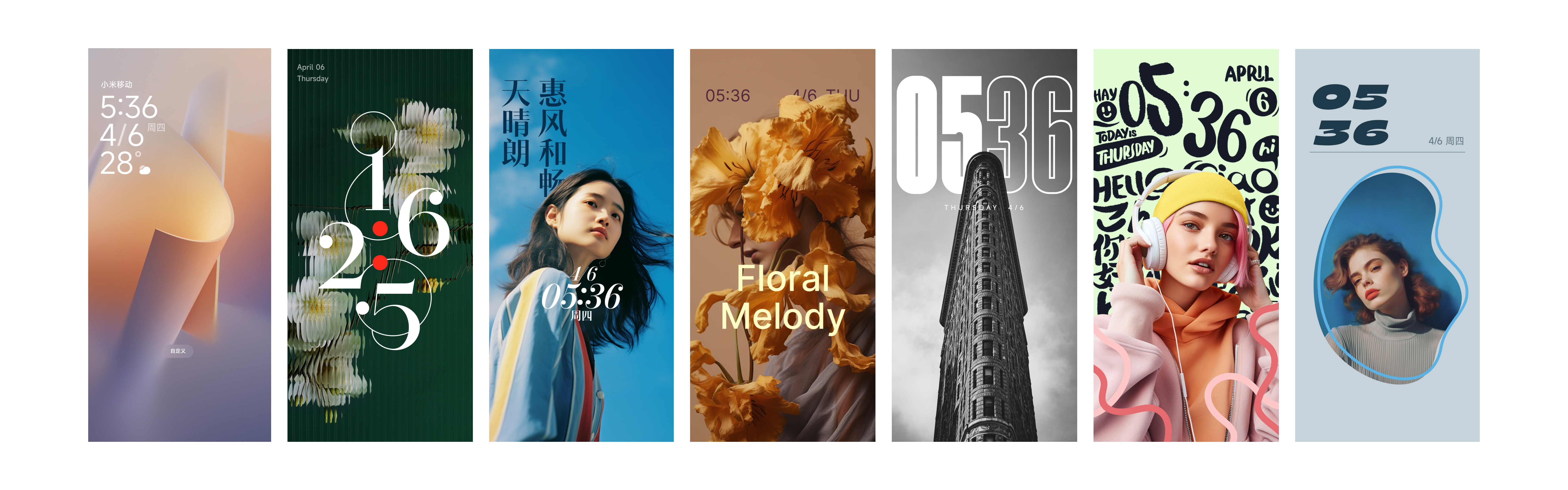
The project was initiated by lock screen visual designers who provided 7 new lock screen designs and 2 new technical capability requirements. As the interaction designer, I joined after the initial pitch succeeded to design the editing flows and framework for lock screen personalization.
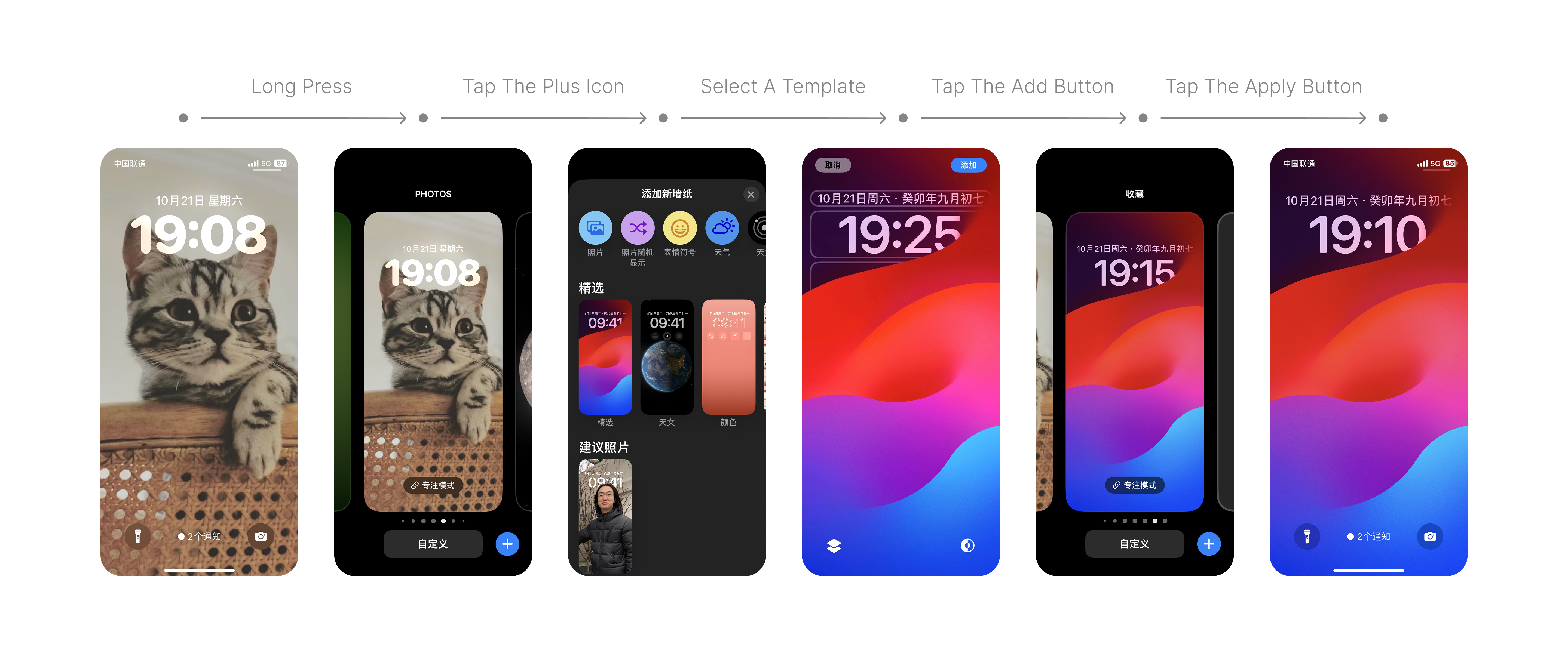
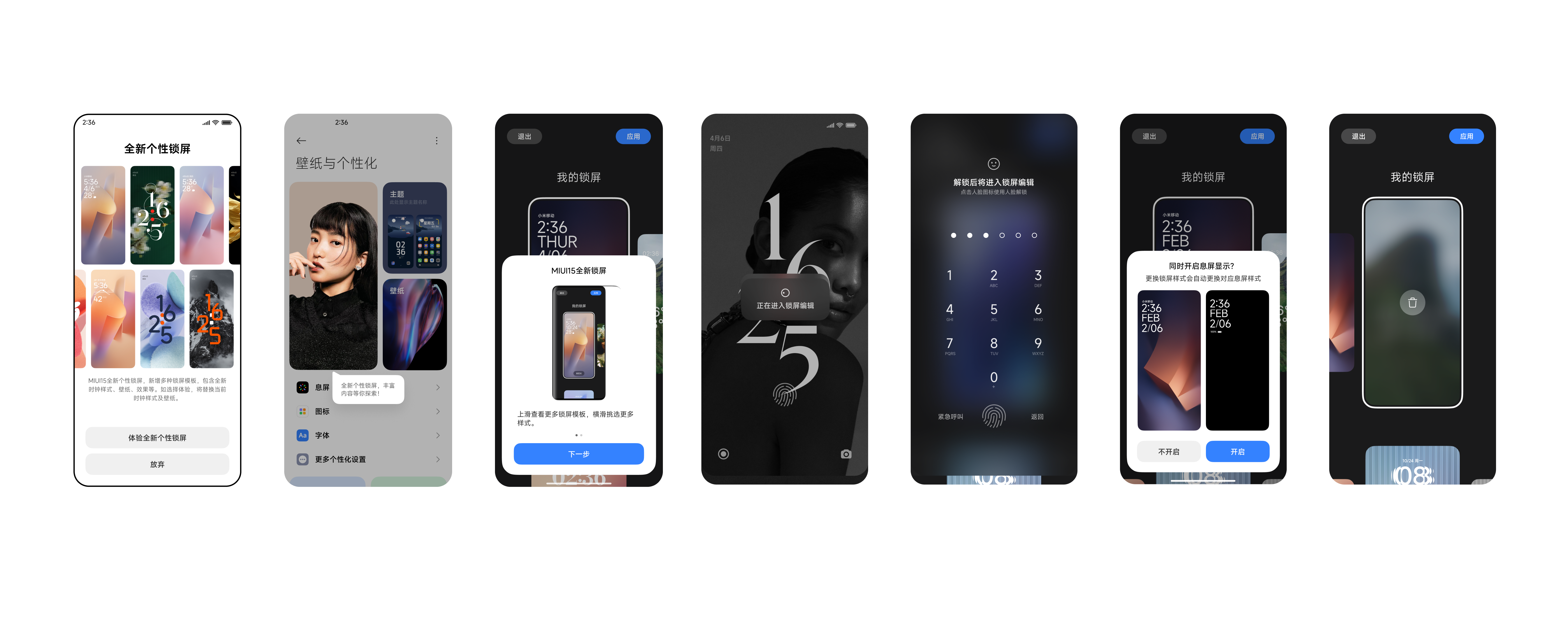
New templates have low exposure, requiring users to click the bottom-right add button to view;
Template images are small and details are difficult to preview;
For users without customization needs, the application process is long (at least 6 steps);
Templates are not interoperable, with inconsistent bottom editing options, making expectations unclear.
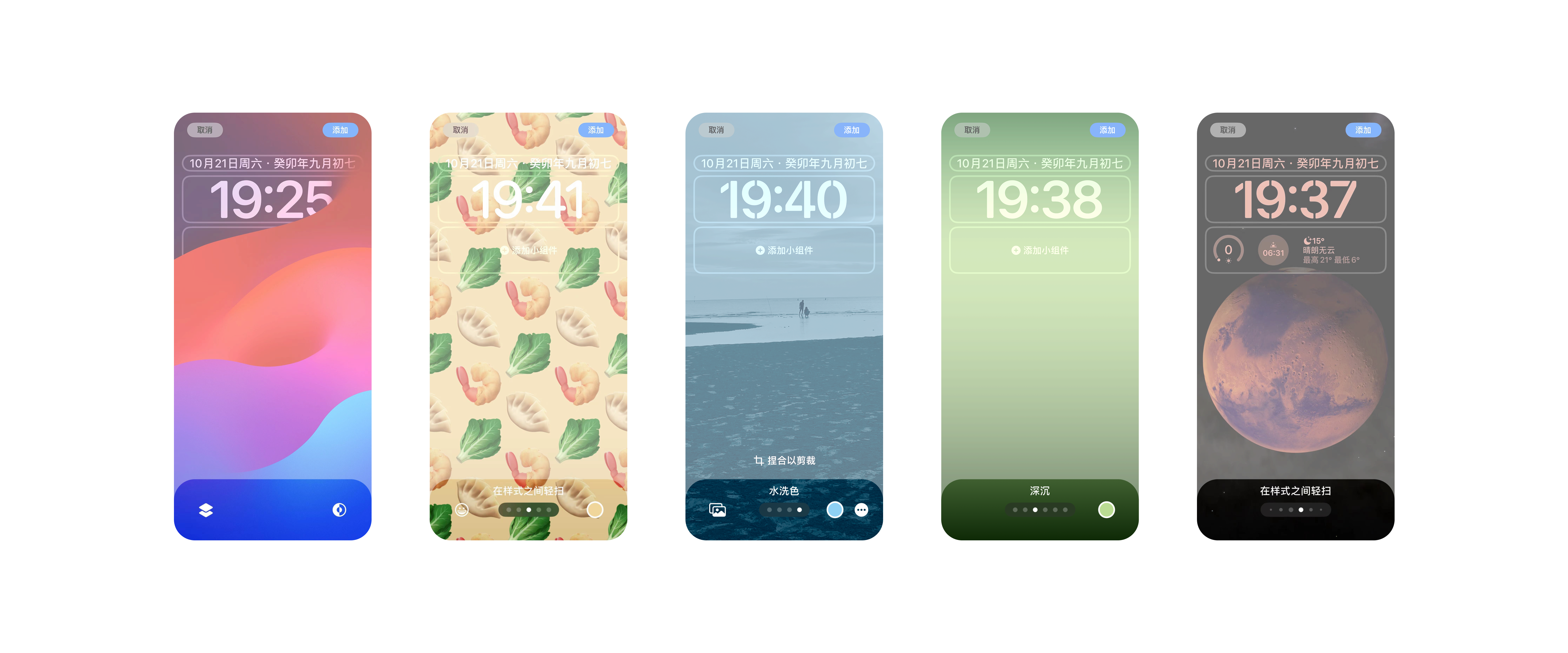
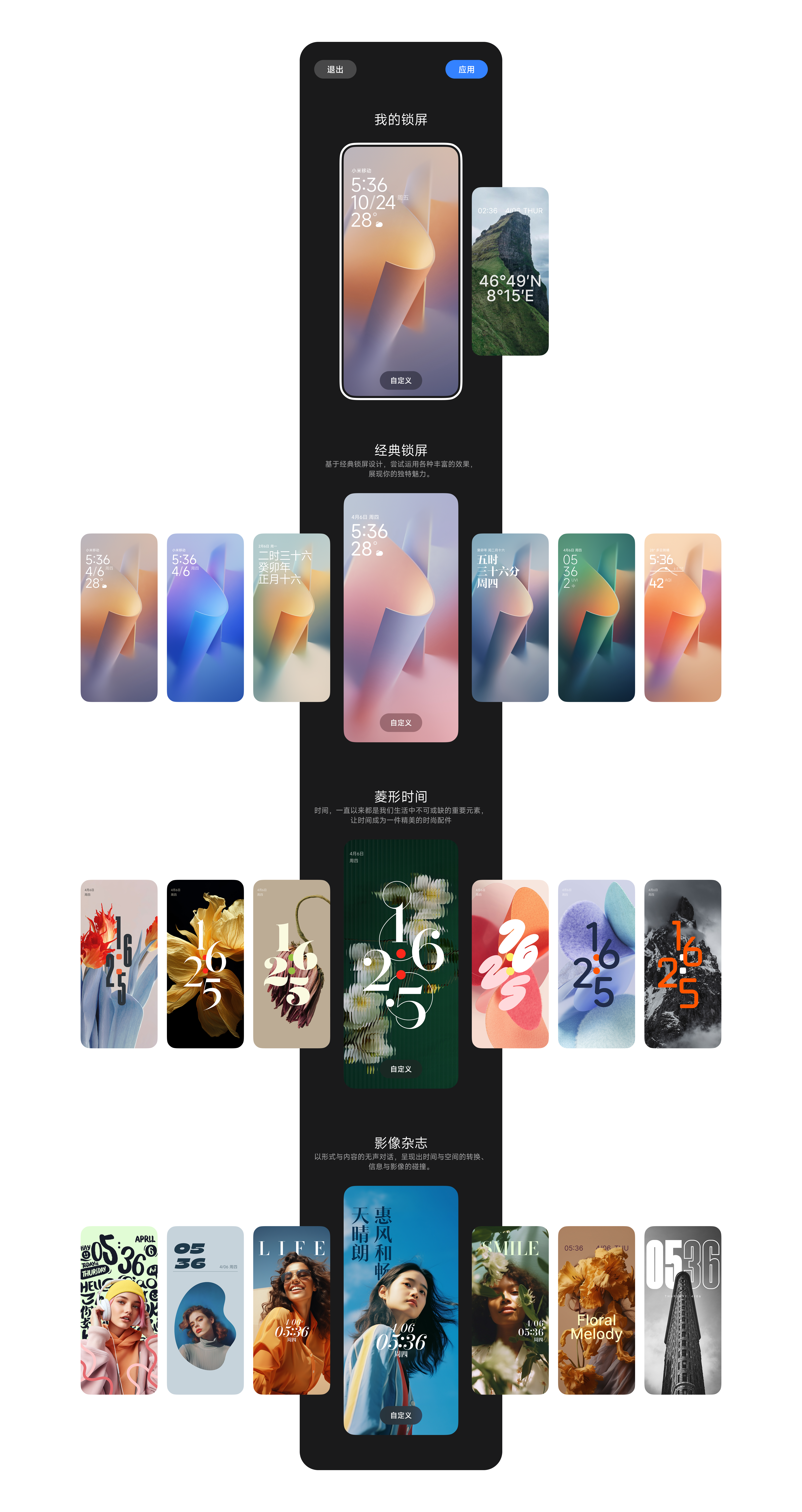
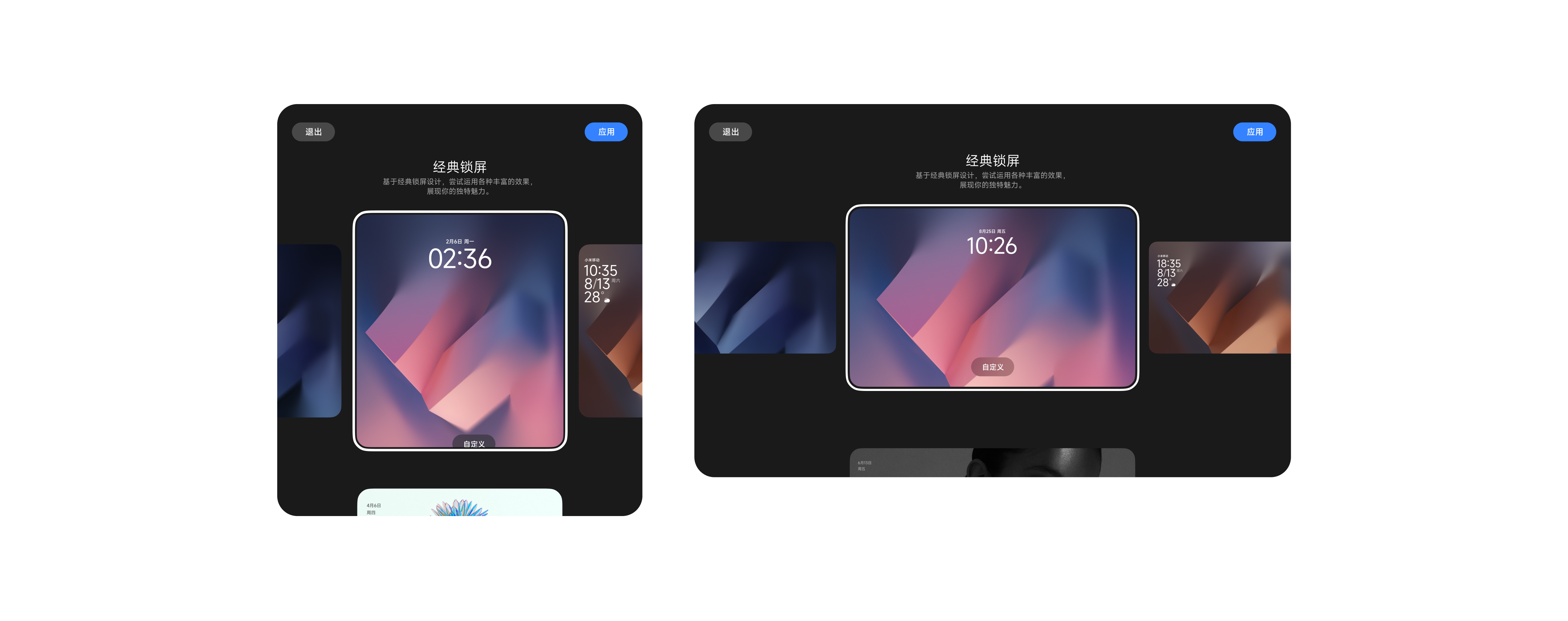
When entering lock screen editing, new designs should be strongly showcased;
Provide multiple preset combinations for low-customization users to apply quickly;
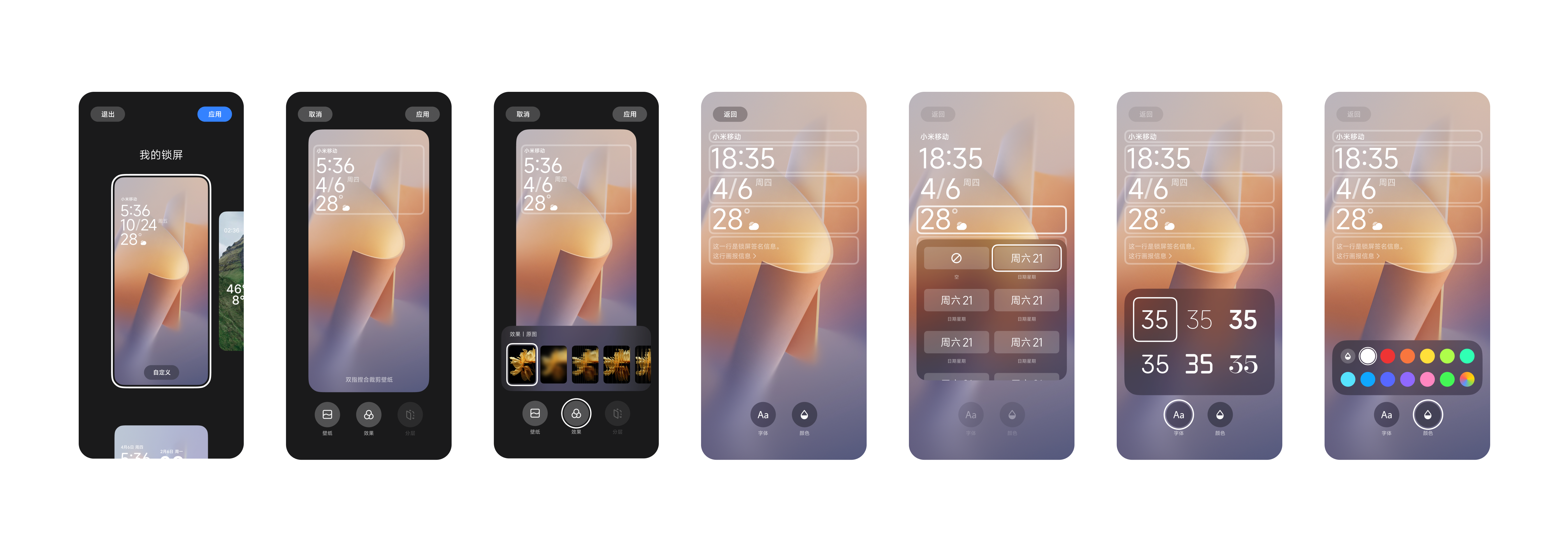
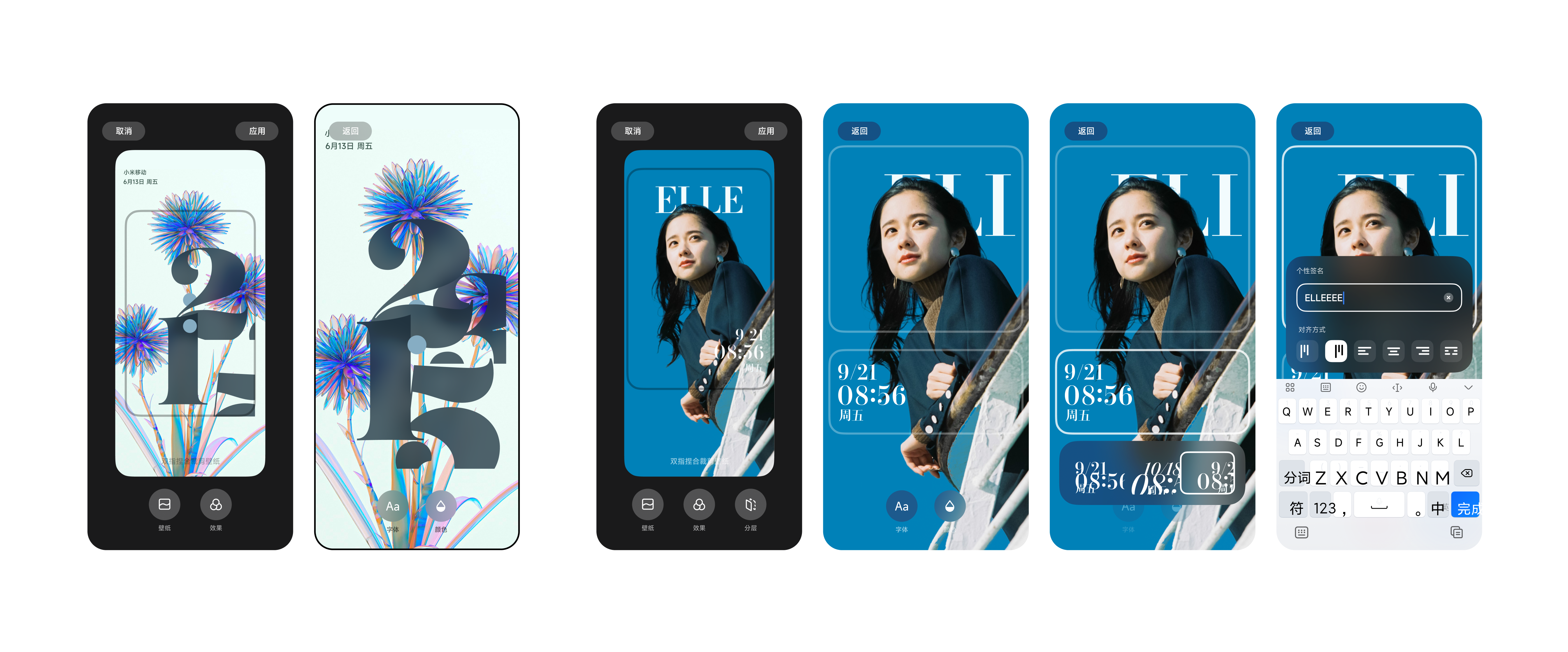
Customization interaction framework must be highly generalizable and easy to use.
Product strategies
Strategy 1: Use “Classic Lock Screen / Diamond Time” as the flagship option, with multiple preset lock screen combinations;
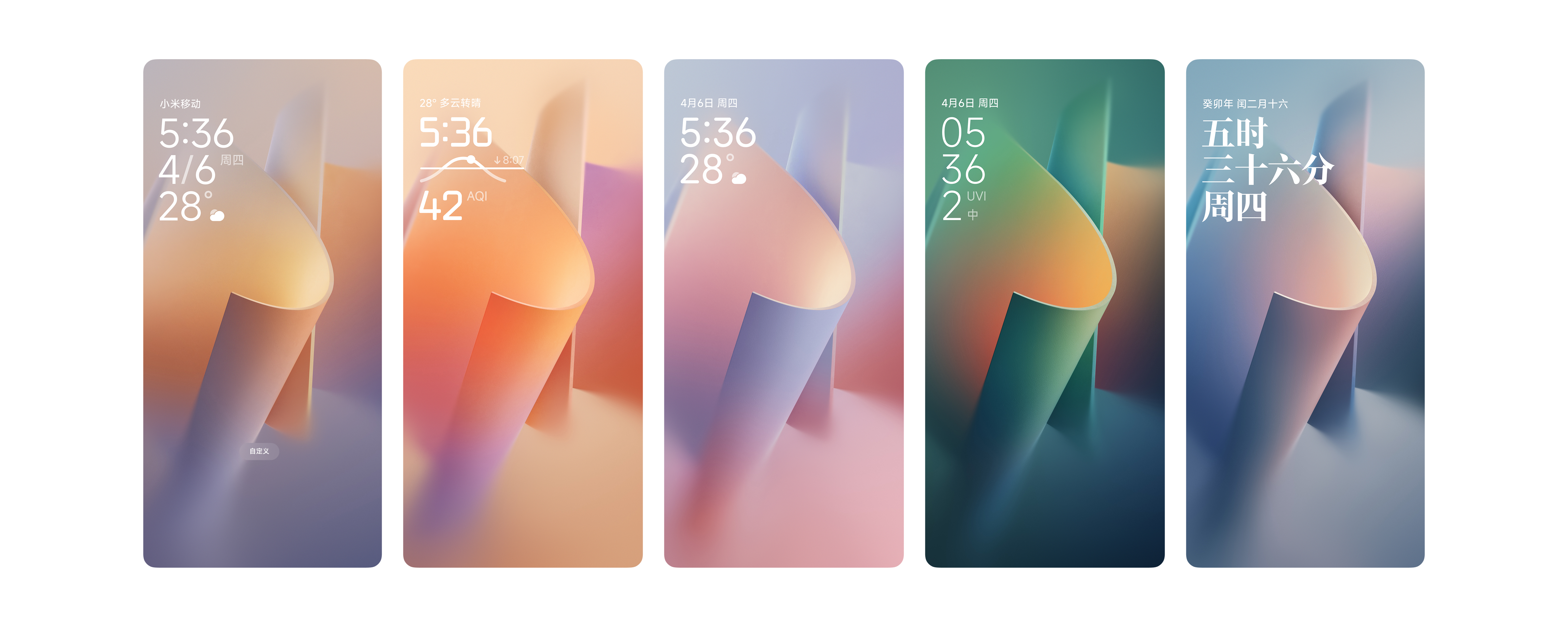
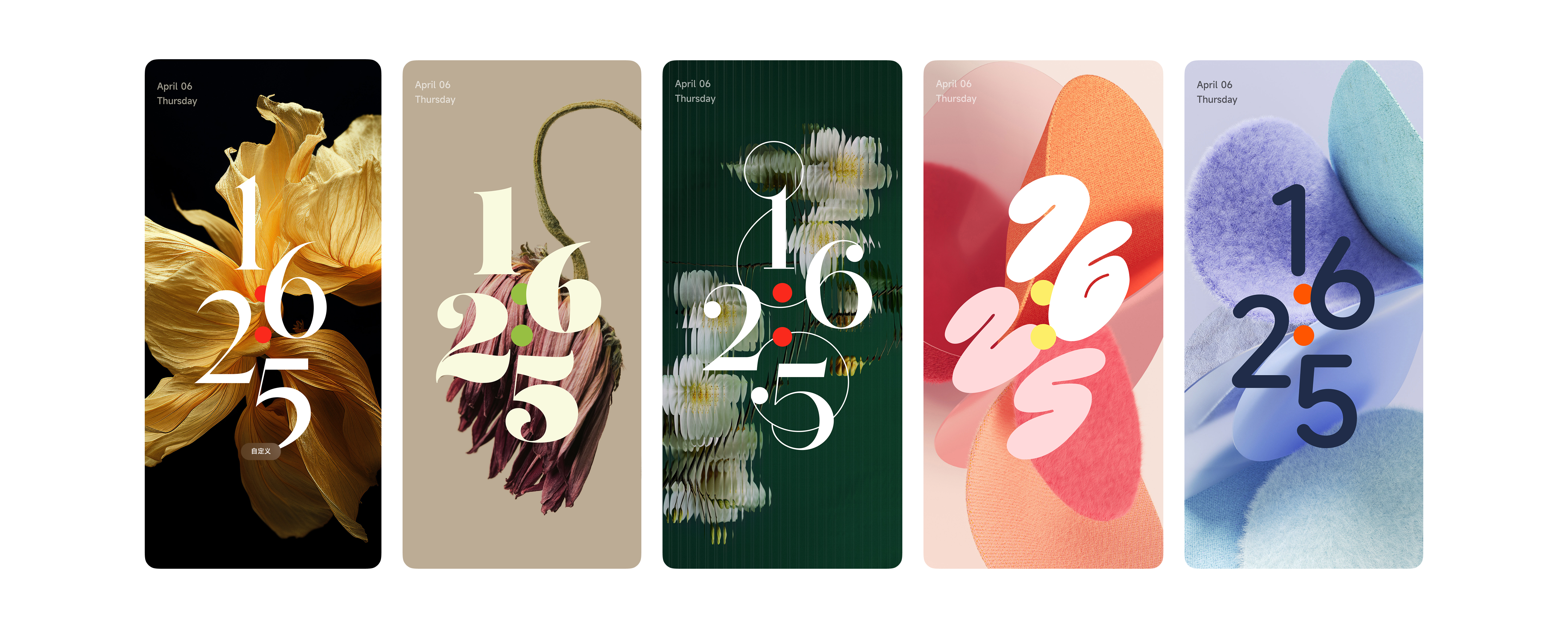
Strategy 2: Expand “Image Magazine” as a new style annually, depending on development resources and version updates;
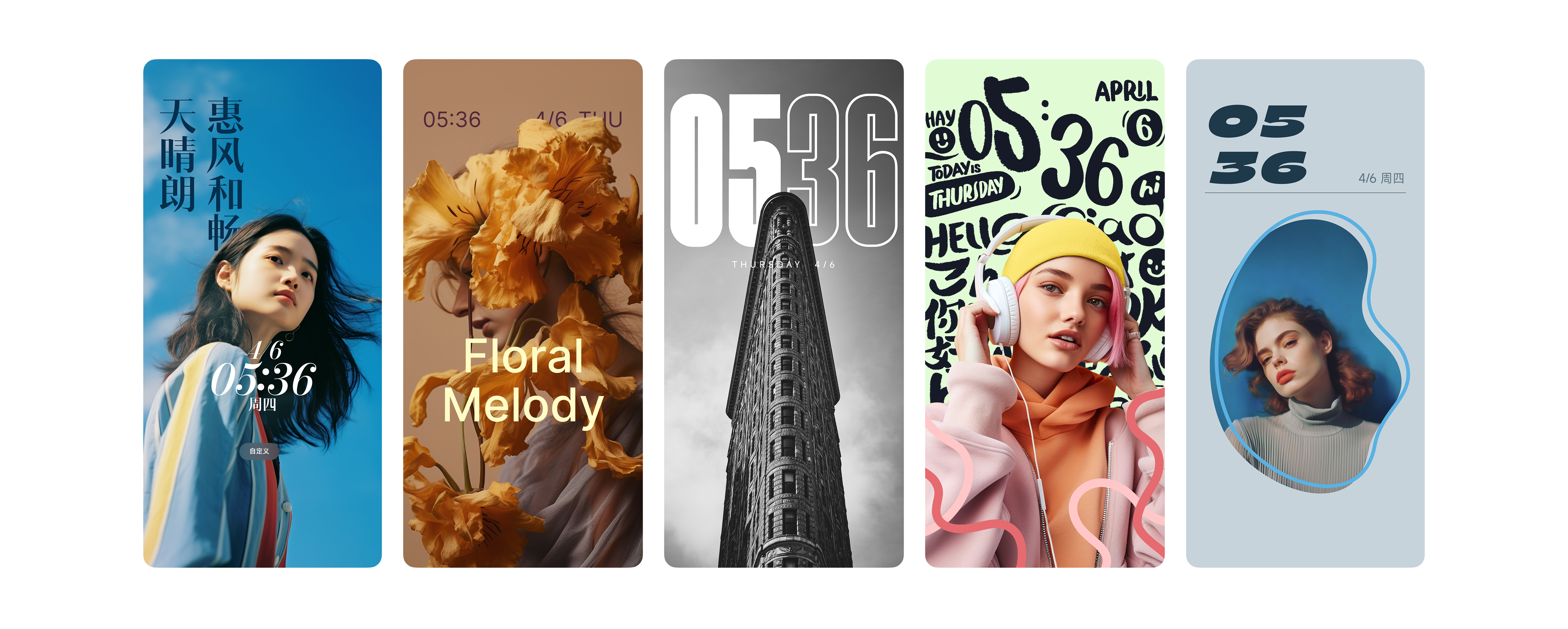
Strategy 3: Ensure all sets support at least the basic customization ability (information layer and wallpaper layer).
Immersion: As large a template preview panel as possible, with vertical switching for templates and horizontal switching for preset variations;
Instant Use: Users can apply anytime via the top-right button, reducing costs for low-customization users.
Want the full walkthrough, with every flow and iteration?